Barco - Inspired sight and sharing solutions

​​​​​​​Since as far back as the 1930s, Barco's products have been built on collaboration, sharing and innovation.


Barco's innovative solutions and long-established heritage makes them a household name in the technology industry.

ClickShare - enhance the engagement and productivity of your workforce

Barco clickshare

Empowers you

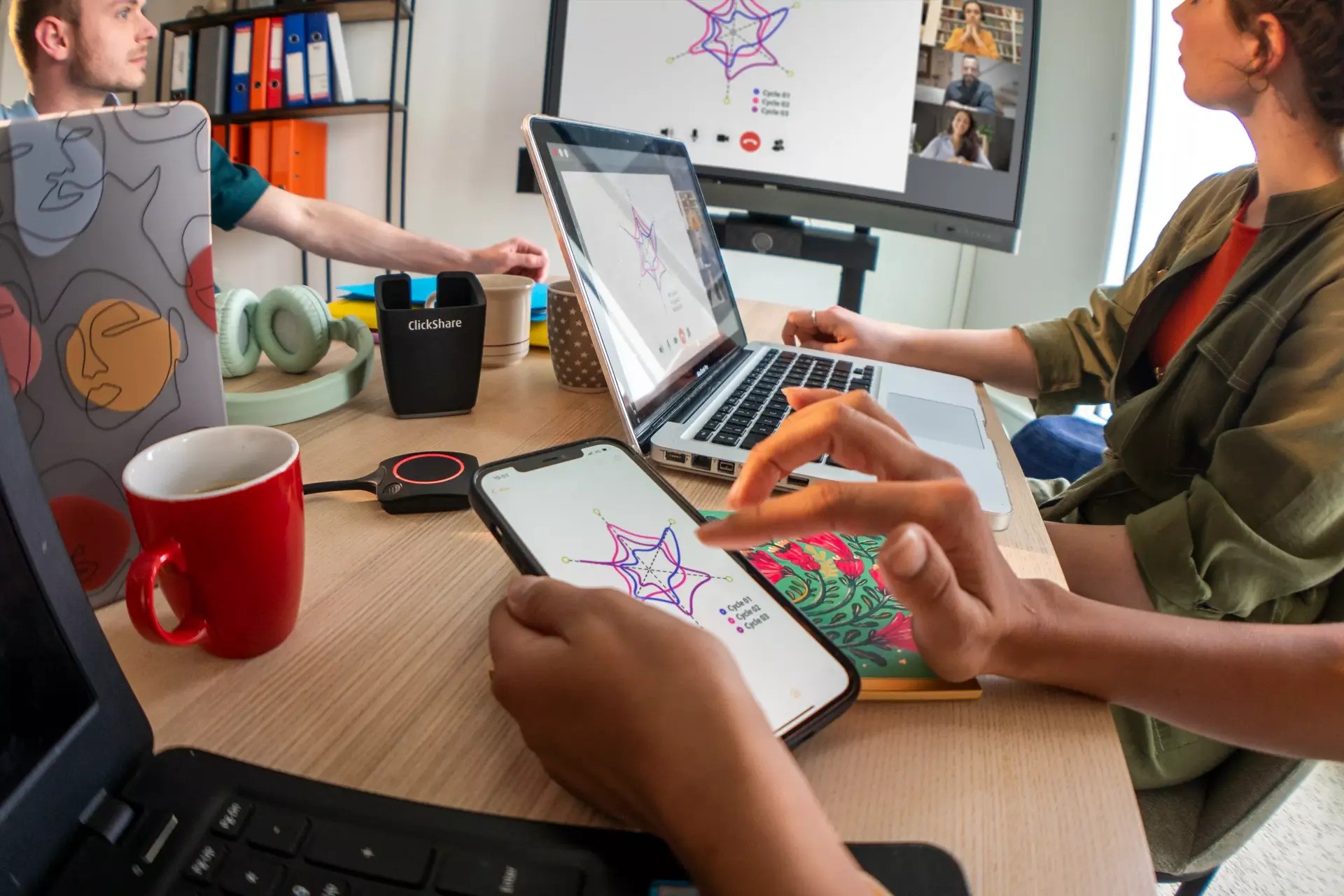
When everyone is clearly heard and seen, whether they work from home or in the office, authentic interactions and productive conversations are guaranteed. ClickShare facilitates collaboration instead of complicating it.

Barco clickshare device

Built around you

You can use your existing meeting room equipment or try our all-in-one meeting solutions, and connect with your laptop and trusted videoconferencing platform in any type of meeting room. And your guests can join from any device.

ClickShare ease of use

Makes your life easy

Running high-quality meetings from your laptop is as simple as making a phone call.


No hassle with control panels, passwords, or cables. 

Barco security

Has you covered

Security, stability, sustainability, and ease of use are built in, so you can enjoy peace of mind in your new hybrid work environment. Regular updates ensure your system is always up to date. How is that for a solid investment? 

Introducing ClickShare Hub

ClickShare Hub is Barco’s latest wireless room system, designed to help deliver smarter, simpler, and more compelling meeting room solutions.

✓ Native Microsoft Teams: Confidence in compatibility, performance, and security. Built on Microsoft Device Ecosystem Platform (MDEP).

✓ Effortless collaboration: Wireless conferencing, 4K content sharing, and premium audio and video.

✓ Simplified IT management: Standardized integration and compliance for peace of mind. Free updates and 3-year warranty.

ClickShare Hub bundles bring together Barco’s wireless collaboration technology with advanced audio and video from trusted partners, delivering complete room systems certified for Microsoft Teams.

Built on strong industry alliances, the Hub range ensures best-in-class wireless room system solutions for IT teams and meeting participants alike. ClickShare Hub works seamlessly with certified devices, providing a smooth, reliable meeting experience.
New ClickShare Hub bundles

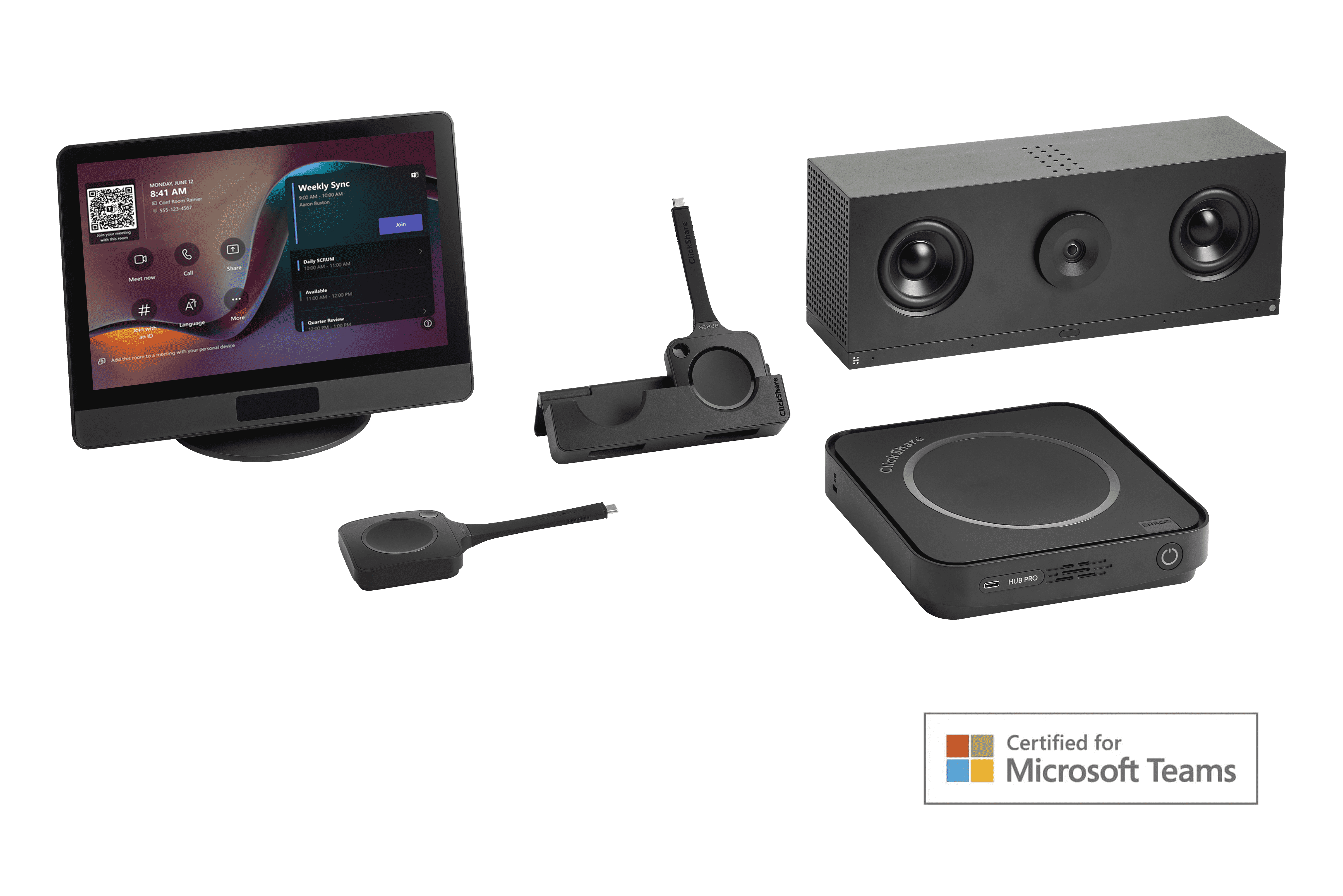
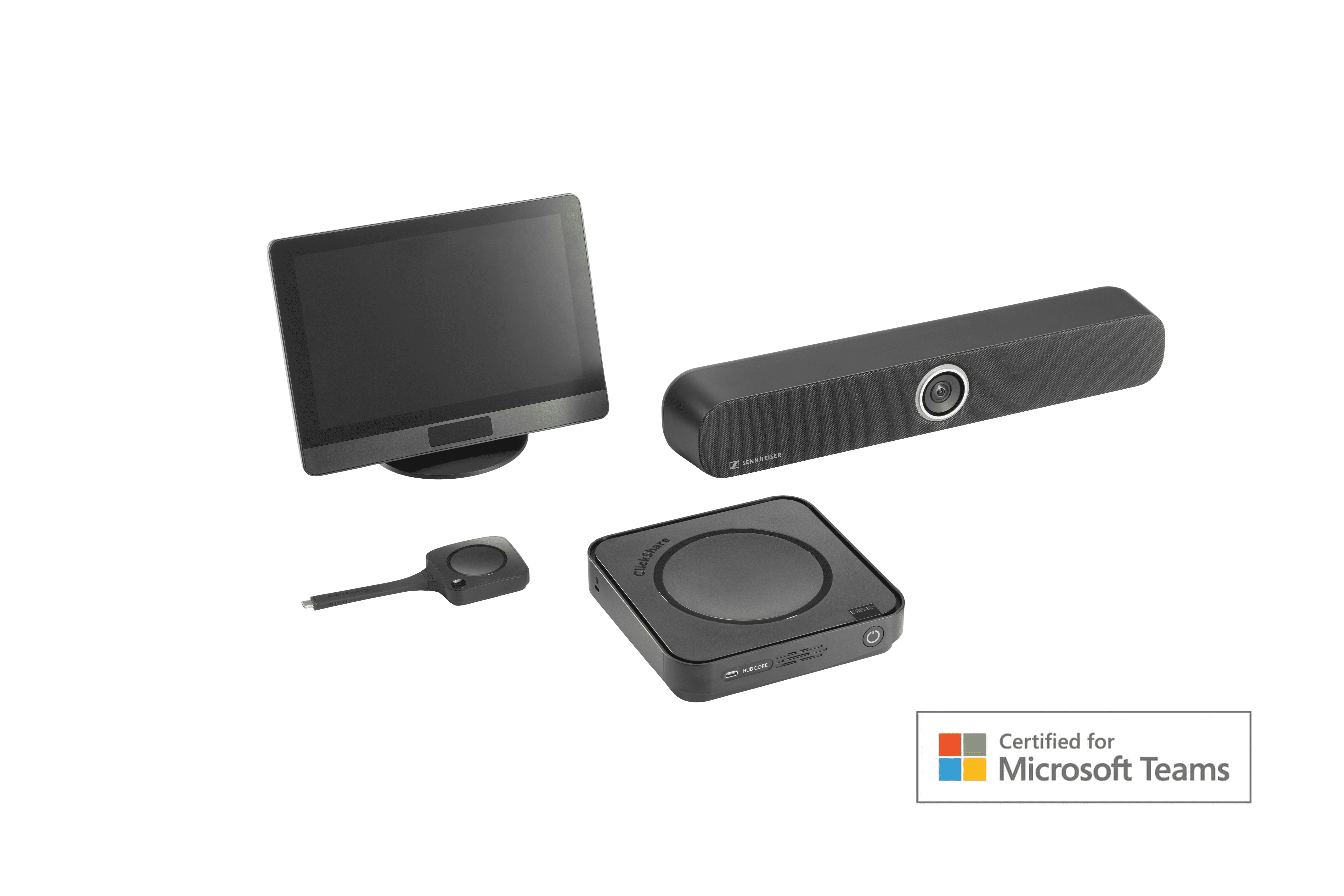
ClickShare Hub Core and Sennheiser TeamConnect Bar S

ClickShare Hub Core + Sennheiser TeamConnect Bar S

Microsoft Teams Room bundle for enhanced collaboration in small-sized meeting rooms.

  • Wireless presentation: 4K content sharing with 1 next-gen ClickShare Button with USB-C DisplayPort™
  • Built on the Microsoft Device Ecosystem platform (MDEP)
  • 4K Ultra HD camera with advanced AI features
  • High-quality audio with 4 microphones and 2 speakers
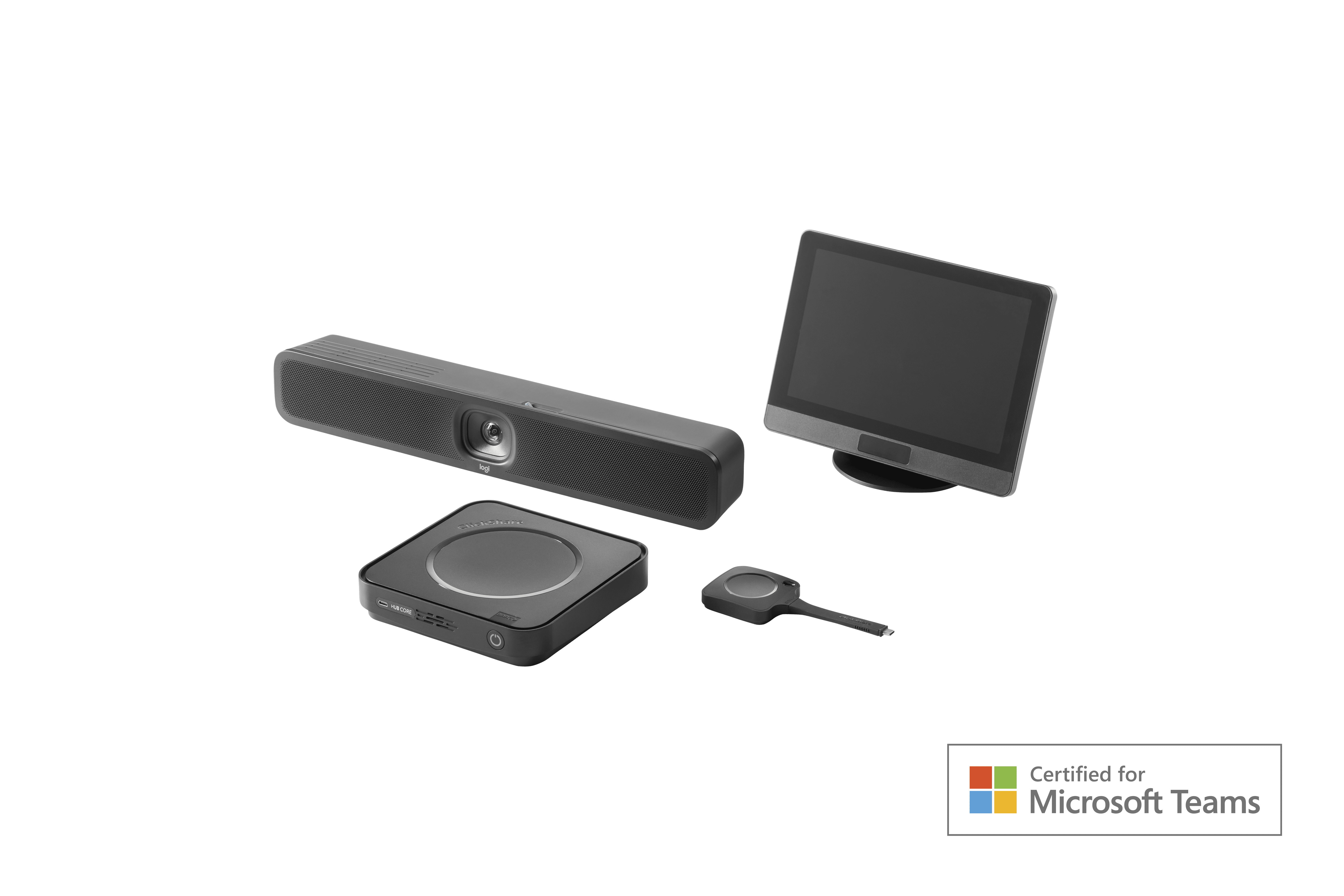
ClickShare Hub Core and Logitech MeetUp2

ClickShare Hub Core + Logitech MeetUp2

Microsoft Teams Room bundle for enhanced collaboration in small-sized meeting rooms.

  • Wireless presentation: 4K content sharing with 1 next-gen ClickShare Button with USB-C DisplayPort™
  • Wireless BYOD for Microsoft Teams Rooms to run other videoconferencing platforms
  • Built on the Microsoft Device Ecosystem platform (MDEP)
  • All-in-one USB conference camera with AI-enabled audio and video features
ClickShare Hub Pro and Huddly C1

ClickShare Hub Pro + Huddly C1

Microsoft Teams Room bundle for enhanced collaboration in small-to-medium-sized meeting rooms.

  • Wireless presentation: 4K content sharing with 2 next-gen ClickShare Buttons with USB-C DisplayPort™
  • Wireless BYOD for Microsoft Teams Rooms to run other videoconferencing platforms
  • Built on the Microsoft Device Ecosystem platform (MDEP)
  • Dual display support
  • AI-driven Huddly video bar that scales from standalone to multi-camera
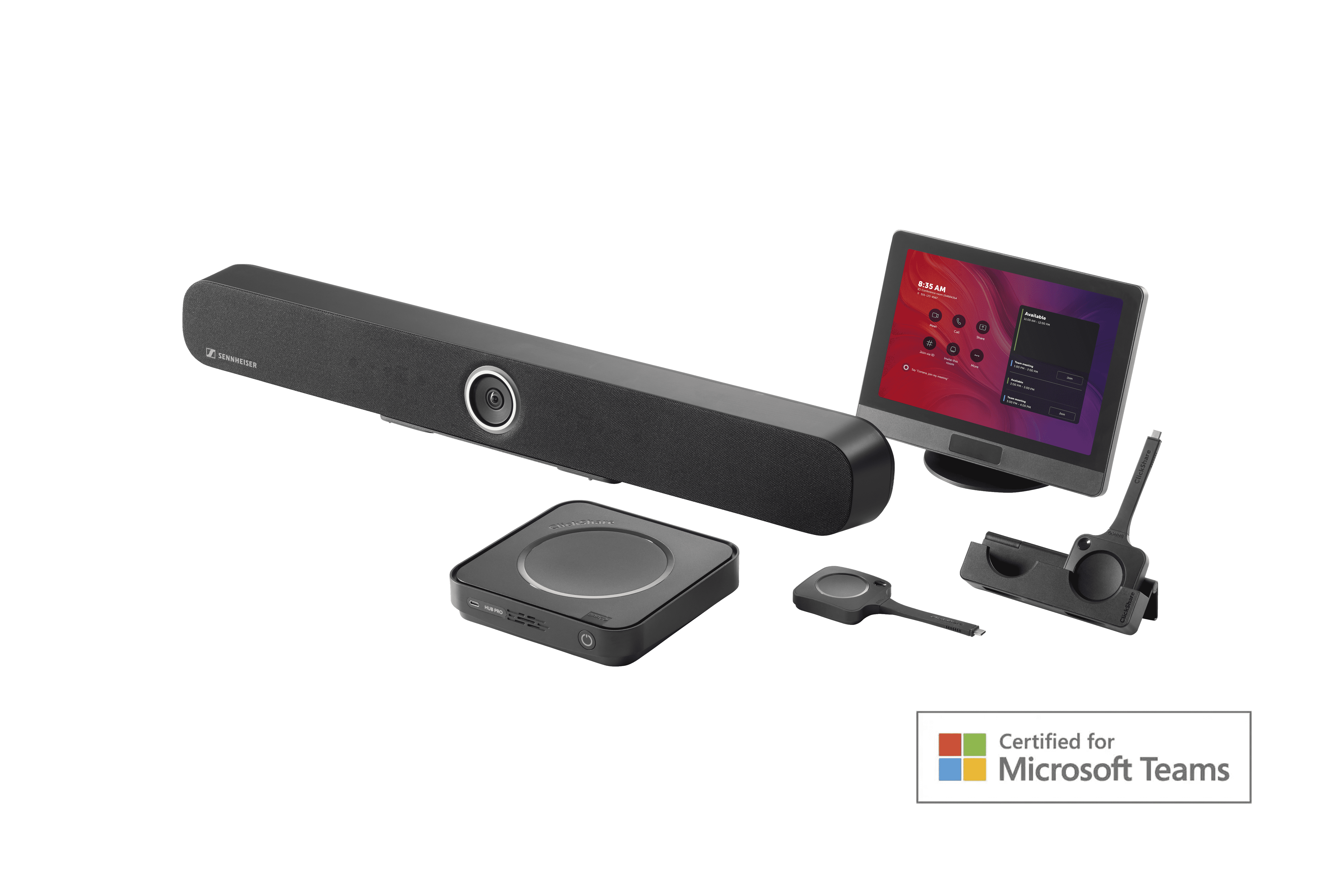
ClickShare Hub Pro and Sennheiser TeamConnect Bar M

ClickShare Hub Pro + Sennheiser TeamConnect Bar M

Microsoft Teams Room bundle for enhanced collaboration in medium-sized meeting rooms.

  • Wireless presentation: 4K content sharing with 2 next-gen ClickShare Buttons with USB-C DisplayPort™
  • Wireless BYOD for Microsoft Teams Rooms to run other videoconferencing platforms
  • Built on the Microsoft Device Ecosystem platform (MDEP)
  • Dual display support
  • 4K Ultra HD camera with advanced AI features
  • Premium-quality audio with 6 microphones and 4 speakers

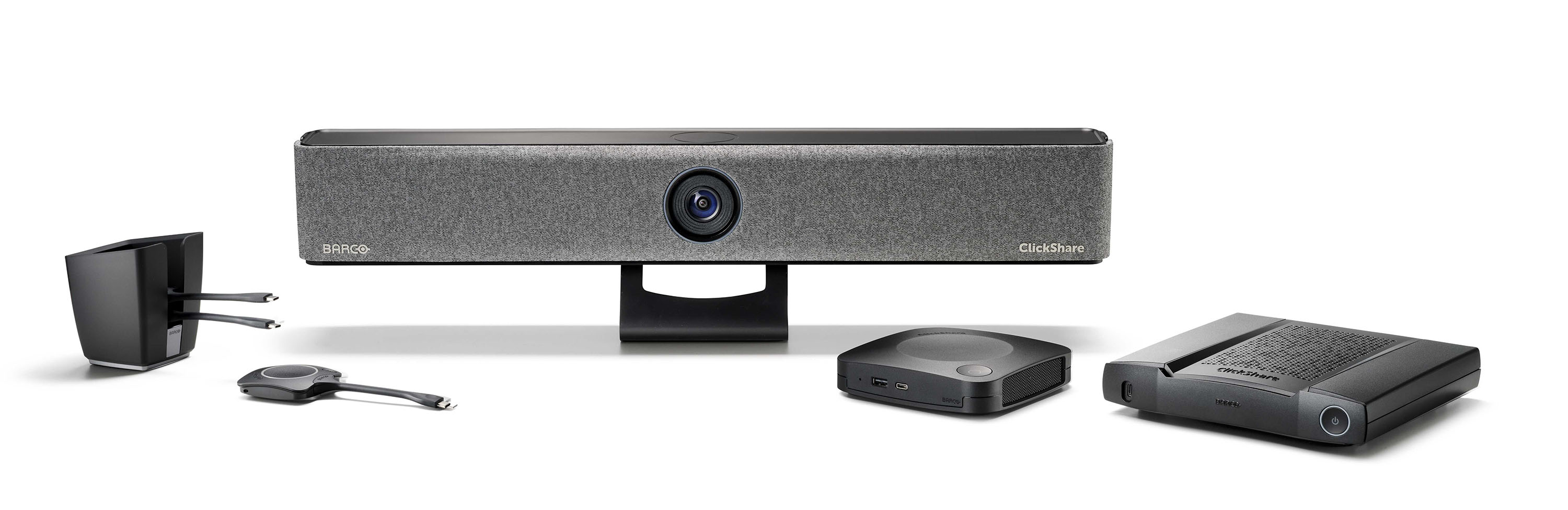
The ClickShare Video Bar Range

The first video bar that enables effortless, engaging wireless conferencing with any video conferencing platform from your laptop.

Open your laptop to start a meeting and connect team
members in the office with remote participants in less than 7
seconds.
Enjoy sharp views, crystal-clear sound and natural
communication with the ClickShare Bar.

Barco ClickShare Bar

Crystal-clear, high quality stereo audio

✓ Advanced AI-powered 4K camera

Wired roomdock for 4K content sharing (Pro model)

Touchback, annotation and blackboarding

Carbon-neutral product

No cables, no hassle. Love meeting again with the premium
ClickShare all-in-one video bars for easy wireless conferencing.

GET IN TOUCH

ClickShare Conference

Great things happen when people click

​​​​​​​Streamline your meetings and elevate your presentations with the Barco ClickShare Conference.

Connects your laptop seamlessly to the screen, video & audio of any meeting room.

ClickShare Conference is a wireless presentation system that lets you connect your laptop or mobile device to any display in your meeting room with just one simple click.

Say goodbye to messy cables and adapters. Easily share your ideas and collaborate seamlessly with colleagues, whether they're in the room or working remotely.

FIND OUT MORE

To do

ClickShare Present

Sharing content has never been easier than with ClickShare Present. Whether you've got a small group or a large audience, it's simple to share your content wirelessly and engage your audience like never before.

Connect your device without the need for cables or adapters by plugging the ClickShare button into your laptop or mobile device. It's as simple as that.

The ClickShare app allows you to control your presentation from your smartphone or tablet, giving you even more flexibility and convenience.

30 day free trial of ClickShare

Try before you buy with Barco's free trial.

Speak to your GVAV representative now or click the button below for more information on how you can request a demo unit and try out ClickShare before you purchase.

Terms and conditions apply. One demo unit per legal identity.

Get in touch now

Trade in with Barco

Barco’s Trade in program for ClickShare offers Barco Connect! and CX Connect! partners and their customers the chance to trade in their ageing Barco ClickShare models, or a selected range of competitive products against the ClickShare and ClickShare Conference range.

Get a significant discount on any new ClickShare model when trading in your old Barco or competitive device! Make collaboration seamless in and outside your meeting rooms.

In the public sector?

The average working day in the public sector looks a lot different now than now it did in 2019. Whether you're in education, health or government, it's never been more important to be able to connect remotely and securely.

✔ Simple solutions that enable flexible, seamless video conferencing and collaboration

✔ Working securely with any device and any UC solution

✔ To welcome both civil servants and guests in meeting spaces

✔ Connecting different sites and local hubs with remote workers

✔ Improving meeting equity by giving every user the same share of voice, in-office or remote

ClickShare apps

Make wireless content sharing even easier with Barco's desktop and mobile apps.

Compatible with Windows, Mac, iOS and Android, the ClickShare apps allow you to present seamlessly and intuitively from whichever device you're using.

Updating your ClickShare software

Keeping your ClickShare software up to date is important to ensure your device remains running optimally and securely, as well as enabling new features and functionalities.

Barco Base Units, Buttons and apps can all be updated easily through automated processes.

The Base Unit firmware can be updated via auto-update or scheduling, Buttons update over Wi-Fi, and the Desktop App can be manually downloaded to ensure future updates are automatic.

Want more info on Barco's products? Contact GVAV today